Product configurator
Quote products without spreadsheets or manual calculations
A configurator for companies making custom products. Customers choose options and parameters, and the system calculates the price and prepares an enquiry.
- Your quoting rules
- Integrates with your website
- Your own product catalogue
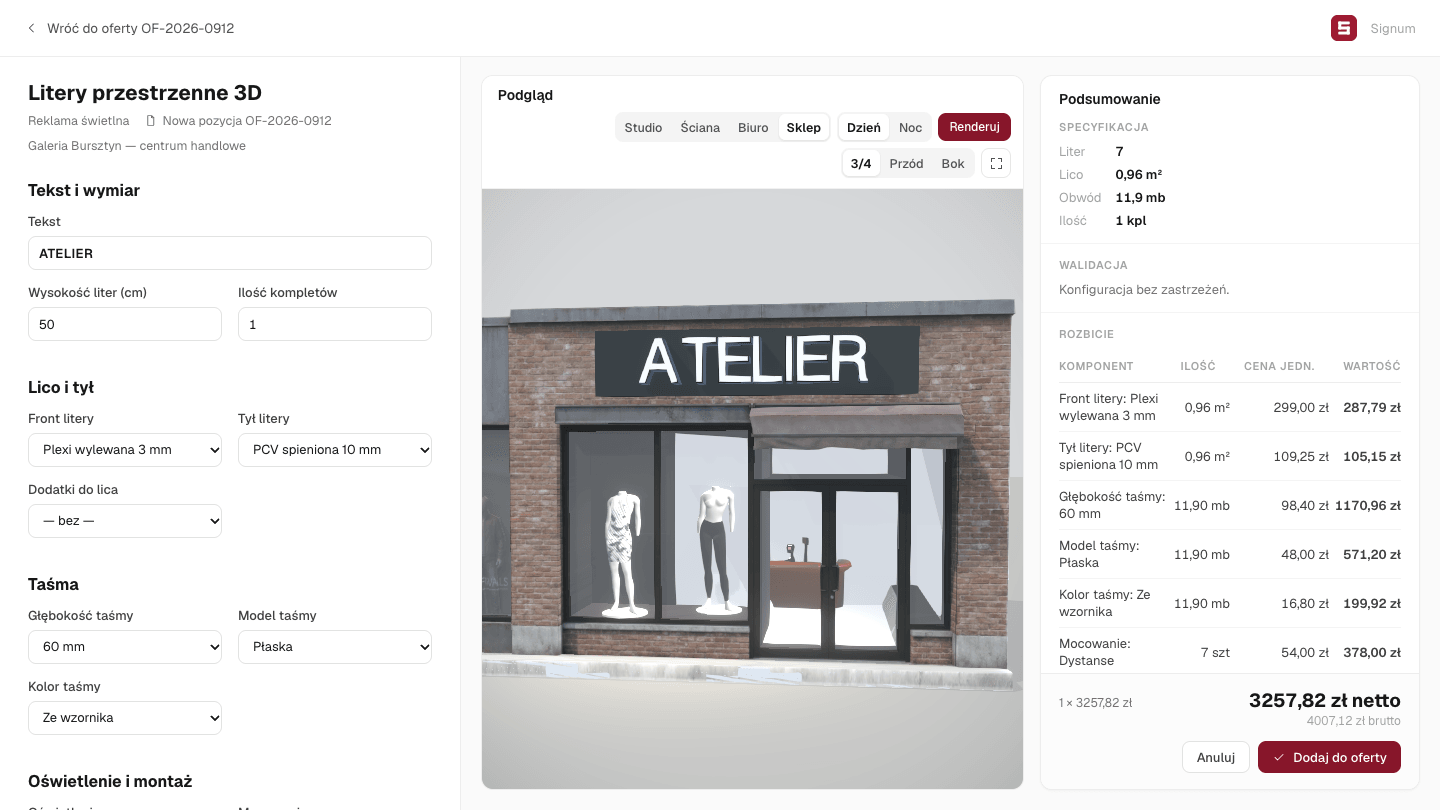
Input
3D preview
Result
See it work
See it on a real product.
01Products
Every product in one place.
One place for products, available options and quoting rules. Choose a product, enter its parameters and prepare a quote without looking for the right spreadsheet.

02On the shop website
Let customers prepare their own quotes.
A customer chooses the options and sees the price on the company’s website. The enquiry arrives with dimensions, selected options and quantity already filled in.

Works with your existing website
We integrate the configurator with the platform you already use.
 WordPress
 WooCommerce
 Magento
 PrestaShop
 Shopify
03Shared price list
Update the price once. Use it everywhere.
When a supplier changes a material price, update it in one place. Every new quote using that material uses the current price.

04Quote updates
Saved quotes stay under control.
A material price change does not alter a saved quote. The system flags the change, and the quote can be updated when needed.

05Production
Quote accepted. Order ready.
Turn the accepted quote into an order. Dimensions, selected options and quantities carry over with it.
The next step
See a quote for your own products.
A product and a price list are enough to start a conversation. We will show how to fit the configurator to the company's quoting rules.
Book a walkthrough
Leave your details — we will call back to arrange a time.